Conascii
Config System Menu for 2000 & XP Pro
Home
MTutor
GradientFill
FB code
FBLoan
TW-Form
JaxGUI
Other DownLoads
PBCC Code
GW Code
Fix 2000/ XP
Text Screen Shots
QB code


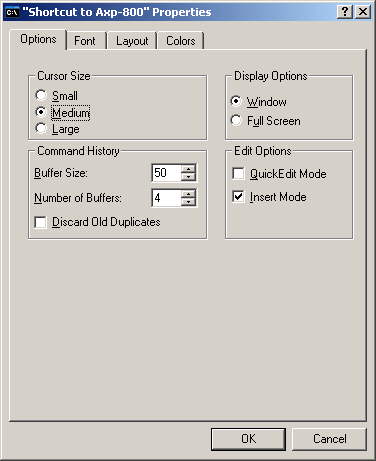
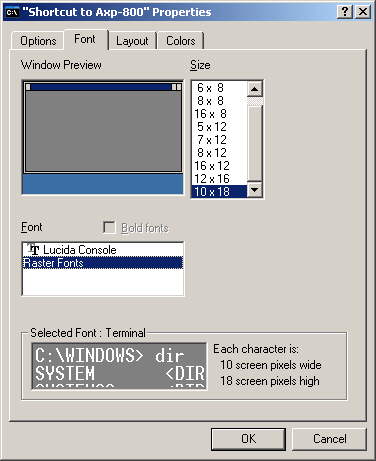
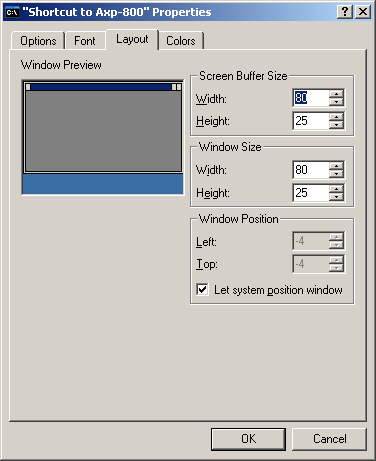
If the Mouse dosen't work in Conascii, a possible cause is the Edit in System Menu. The following pictures shows how to set up the System Menu to work with Conascii.
 
First run Conascii and click on the System Menu Icon at the top left corner.
 
Then click on Defaults.
 

setup3.jpg

setup2.jpg

setup1.jpg